
Maintenance
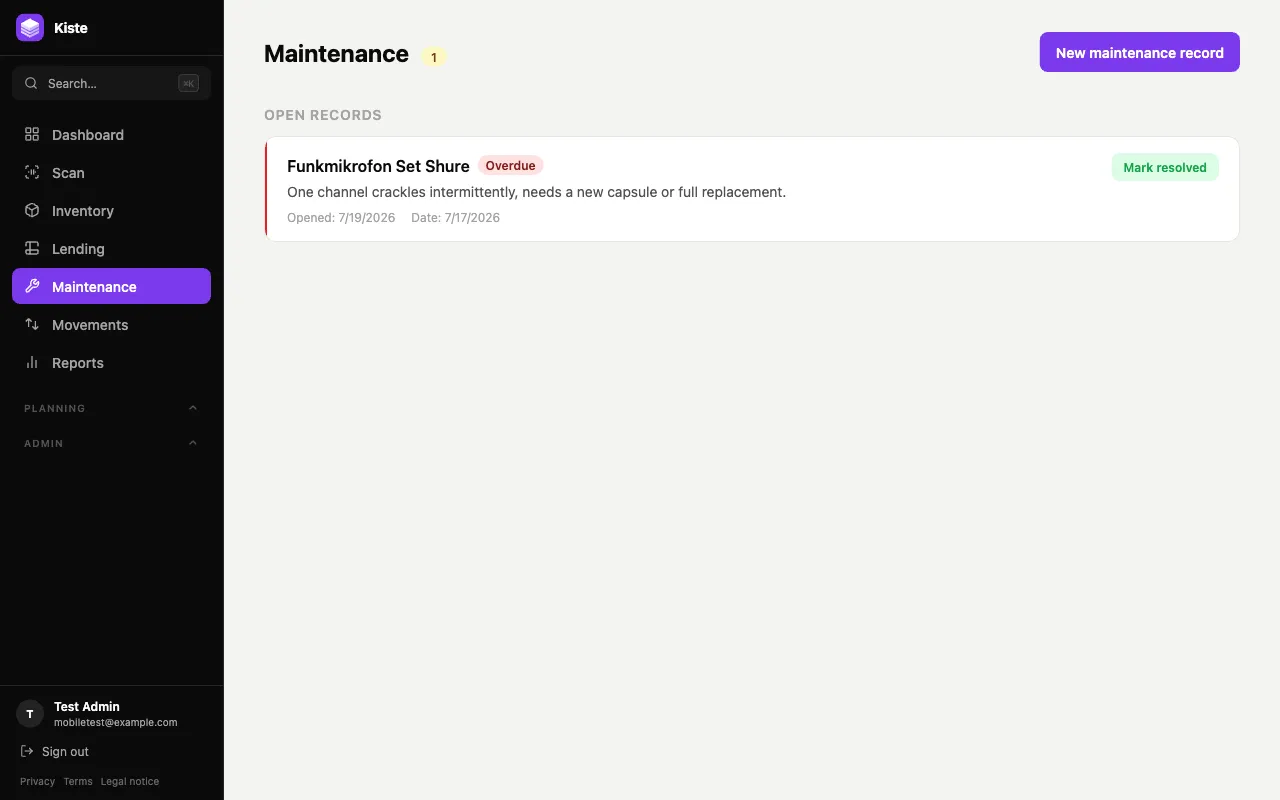
When something breaks, Kiste tracks it as an open maintenance record until it’s resolved — instead of it just sitting on a shelf marked “broken” with no record of what’s wrong or who’s dealing with it.
Opening a record
Section titled “Opening a record”Go to Maintenance → New maintenance record, pick the item, describe the issue, and optionally set who it’s assigned to and a due date. This immediately sets the item’s status to Maintenance, so it stops showing up as available stock elsewhere in the app.
If an item is already flagged Broken or Maintenance some other way but has no open record yet, it shows up under a needs a record section on this page — letting you create the missing paperwork retroactively instead of losing track of why it was flagged.
Overdue records
Section titled “Overdue records”A record with a due date that’s passed shows an Overdue badge, the same way loans do, so nothing stays “in repair” indefinitely without anyone noticing.
Resolving a record
Section titled “Resolving a record”Click Mark resolved once the item is fixed. This closes the record and — as long as the item hasn’t been reassigned to something else in the meantime — sets its status back to Available automatically.
Deleting a record
Section titled “Deleting a record”Deleting a maintenance record (rather than resolving it) is available to admins and members, not viewers, same as other deletes in Kiste.